
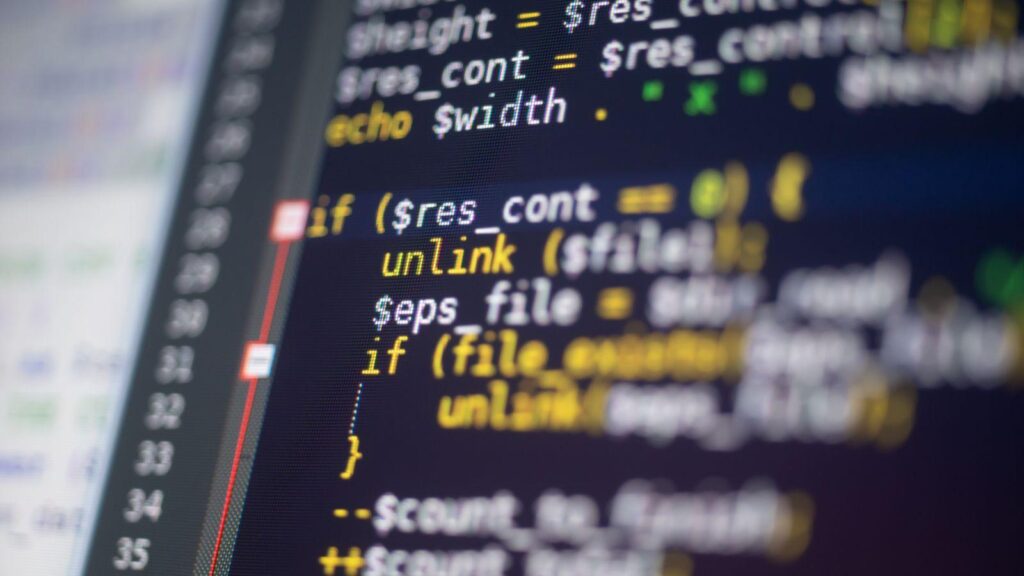
Most legacy PHP applications work. That is the awkward part. The code is messy, the architecture is dated, the deploys are nervous, but the application ships value every day, which means a full rewrite is the worst possible plan.
Rewrites kill momentum, freeze features, and rarely deliver what the original system already does. The honest path forward is incremental: keep the legacy app running, wrap it in something modern, and migrate one code path at a time until the legacy parts are small enough to retire quietly.
This piece walks through how to modernize a legacy PHP application without rewriting it: how to assess what you have, how to set up a strangler pattern, how to handle the rough edges, and where the project usually stalls.
Why Incremental Migration Beats a Full Legacy PHP Rewrite
The case for a rewrite usually starts with frustration, not a technical argument. The codebase feels unmanageable, deploys are fragile, and someone in the room says “let’s just rebuild it.” The numbers almost never support the next six months of work.
What rewrites actually cost
A from-scratch rewrite of a meaningful PHP application is rarely under 6-12 months of full-team effort. During that window, no new customer-facing features ship, edge cases that the legacy system handles silently get rediscovered the hard way, and the team learns that the old codebase encoded a lot of business logic that nobody documented.
What incremental gets you
PHP is an unusually good language for incremental migration because it is everywhere. According to W3Techs, PHP still powers around 74.5% of websites with a known server-side language, which means the tooling, the upgrade paths, and the hosting compatibility for moving from PHP 5.x or 7.x to 8.x are all mature.
Incremental migration keeps the application earning revenue throughout, lets the team learn the new framework on real production code, and produces a system at the end where every new line was written under modern standards.
Plan the Capacity Before Touching the Code
The technical approach is well-understood. The thing that actually kills these projects is the calendar. Incremental migration is a multi-quarter effort that runs alongside normal feature work, and most teams underestimate what that costs in attention and capacity.
Estimate the calendar time honestly
Even with a strangler pattern, a legacy migration on a moderately complex application is rarely under 9-18 months of part-time effort from one or two engineers. The work is not constantly hard, but it is constantly present, and the team needs to plan for that bandwidth before starting.
In-house, or bring in someone who has done this
If your team has not run a Laravel migration before, the first one will be slower than the second through fifth combined. Some teams absorb that learning curve internally. Others hire PHP developer talent who has done this kind of migration before, with the explicit goal of getting through the early decisions, the wrapper setup, and the first few route migrations quickly. After that, the in-house team usually has enough pattern recognition to continue on its own.
Pick the right cadence
Migration work is best run as a fixed weekly allocation rather than a sprint goal. One day a week, every week, retires more legacy code over a year than three frantic months of full-team effort. The compounding is real, but only if the cadence is protected.
Step 1: Assess Before You Touch Anything
With capacity planned, the first technical move is reading, not coding. A legacy application is a record of every decision the team has ever made, and most of those decisions had reasons. Skip the assessment and you will rediscover the reasons by breaking things.
Inventory the codebase honestly
Walk the directory tree and write down what you find. Most legacy PHP applications fall into three buckets:
- Core business logic that is load-bearing and probably under-tested
- Glue code, integrations with old payment processors, email services, third-party APIs
- Dead code, features that were turned off years ago but never deleted
The dead code is the cheapest progress you will make on this project, and deleting it shrinks the surface area of everything that follows.
Identify the database situation
Legacy PHP applications usually access the database through one of three patterns: raw mysql_* calls scattered through controllers, a custom homegrown DB layer, or an older ORM. Each one has different migration costs. Whatever the pattern, the migration target should be Eloquent or Doctrine 2.
Map the deployment and runtime
Find out which PHP version is actually running in production, where session data lives, how caching works, and whether there are cron jobs or background workers nobody talks about. These details surface during migration as unexplained bugs, and finding them up front is much cheaper.
Step 2: Use the Strangler Pattern
The strangler pattern is the standard approach for incremental migration. Stand up a new modern application alongside the legacy one, then slowly route traffic away from the legacy code until there is nothing left to retire.
Wrap the legacy app inside a Laravel container
The most practical implementation is to create an empty Laravel application and put the legacy codebase inside a subfolder. A fallback controller in Laravel routes any request that does not match a Laravel route to the legacy code. From the outside, nothing changes for users. From the inside, you now have a modern framework wrapping the legacy app, and any new feature can be written in Laravel.
Migrate one route at a time
Pick the easiest route in the legacy app, the simplest read-only page is usually a good first target, and rewrite it as a Laravel controller. Run both versions in parallel for a release or two, compare outputs, then cut over. Each migration teaches the team something. The first one will take a week. The fifth one will take an afternoon.
Share helpers and globals carefully
Legacy PHP applications almost always have helper functions and globals that get included everywhere. As you move code into Laravel, these need to remain available to both the new and the not-yet-migrated code. The standard approach is to autoload the legacy helper file globally so any caller, modern or legacy, can still reach the functions during the transition.
Where Migrations Usually Stall
The strangler pattern is straightforward in theory and a slog in practice. Three things consistently slow projects down.
The two-system tax
Running the legacy and modern apps simultaneously means changes to shared concerns, layout, navigation, authentication, have to be made twice until the migration is complete. Teams sometimes underestimate this overhead and watch their delivery velocity drop in months 3-6.
The last stretch
Migrations often get to the final fifth of the codebase and then slow down dramatically. The remaining code is the hardest, the least-documented, and usually the most business-critical. Plan for this, and prioritize the hard parts before motivation runs out.
Database schema lock-in
If the legacy app has a database schema awkward for modern ORMs, denormalized columns, missing foreign keys, inconsistent naming, the migration eventually forces a schema cleanup. This is its own subproject, and trying to do it inside the application migration is what causes most missed deadlines.
Wrapping Up
Modernizing a legacy PHP application is mostly a matter of resisting the urge to rewrite, picking an incremental approach with a clear pattern, and protecting the cadence over a period long enough for the migration to finish.
The technical work is well-trodden. The hard part is keeping the project moving at a sustainable pace until the legacy parts are small enough to retire.